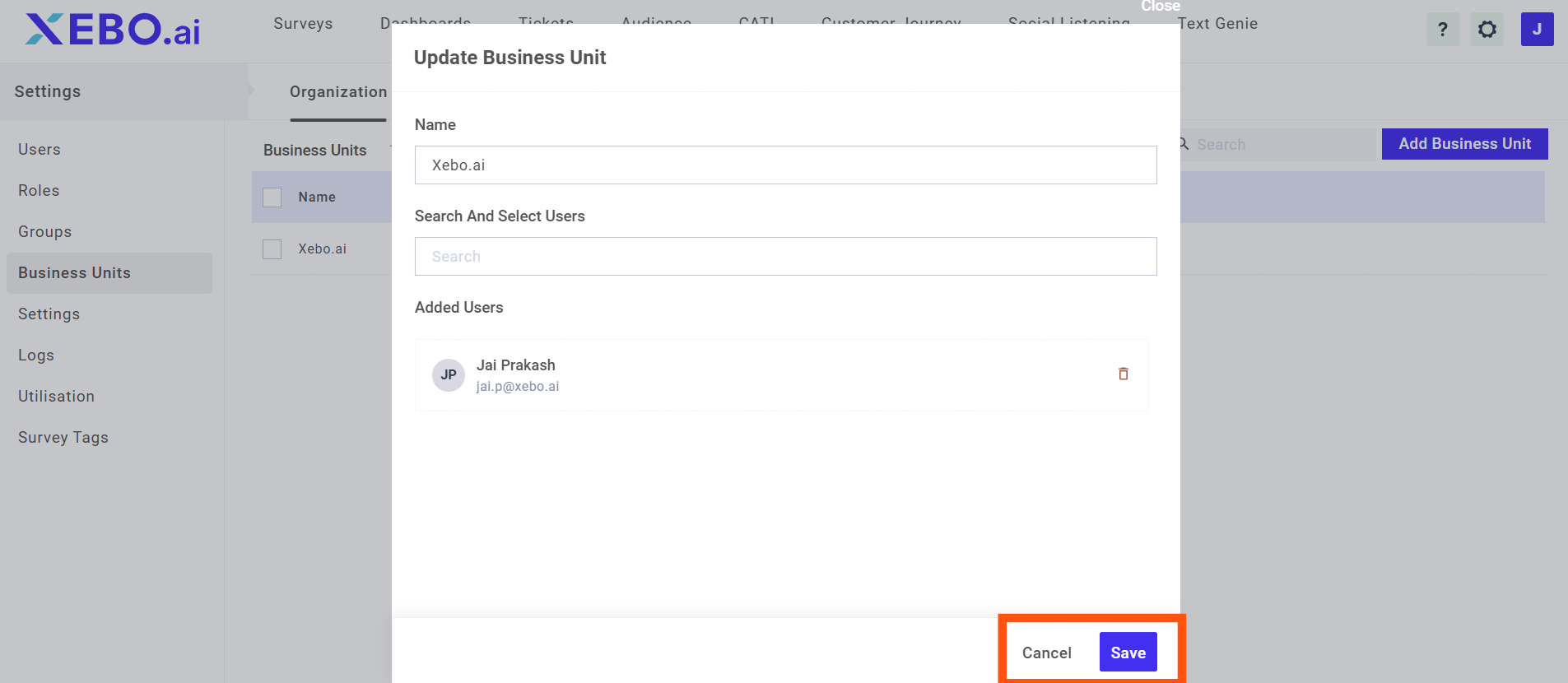
What are Business Units?
A Business Unit in XEBO.ai represents a logical subdivision of your organization, such as a country, region, brand, line of business, or major department.
Each Business Unit groups users, surveys, data, and workflows so that they can be managed and reported on as a cohesive entity.
Why use Business Units?
Business Units help you mirror your real-world organizational structure inside XEBO.ai.
They provide clearer ownership, better access control, and more relevant reporting for each part of your organization.
Key benefits:
Targeted configuration: Maintain separate survey templates, touchpoints, and workflows for each Business Unit (e.g., Retail vs. Corporate Banking, KSA vs. UAE)
Secure access control: Restrict users to only the data and actions for the Business Units they belong to, improving data security and governance.
Granular insights: View performance, NPS, CSAT, and sentiment at the Business Unit level to identify which segments are performing well or need attention.
Scalability: Onboard new regions or lines of business quickly by creating additional Business Units without disrupting existing configurations.
How Business Units impact data and reporting
Business Units influence how data is stored, filtered, and visualized in XEBO.ai.
Data segregation: Feedback, responses, and interaction logs are tagged with the associated Business Unit, enabling clean separation of data.
Role-based visibility: Users only see Business Units they are assigned to, reducing noise and protecting sensitive information.
Focused analytics: Dashboards, Text Genie insights, and AI-driven themes can be viewed per Business Unit, helping local teams act on insights relevant to them.
Roll-up views: Central CX teams can view combined data across multiple Business Units for organization-wide reporting and benchmarking.
How to Create Business Units
Adding a new business unit in Xebo is very easy. Follow these steps to create a new business unit.
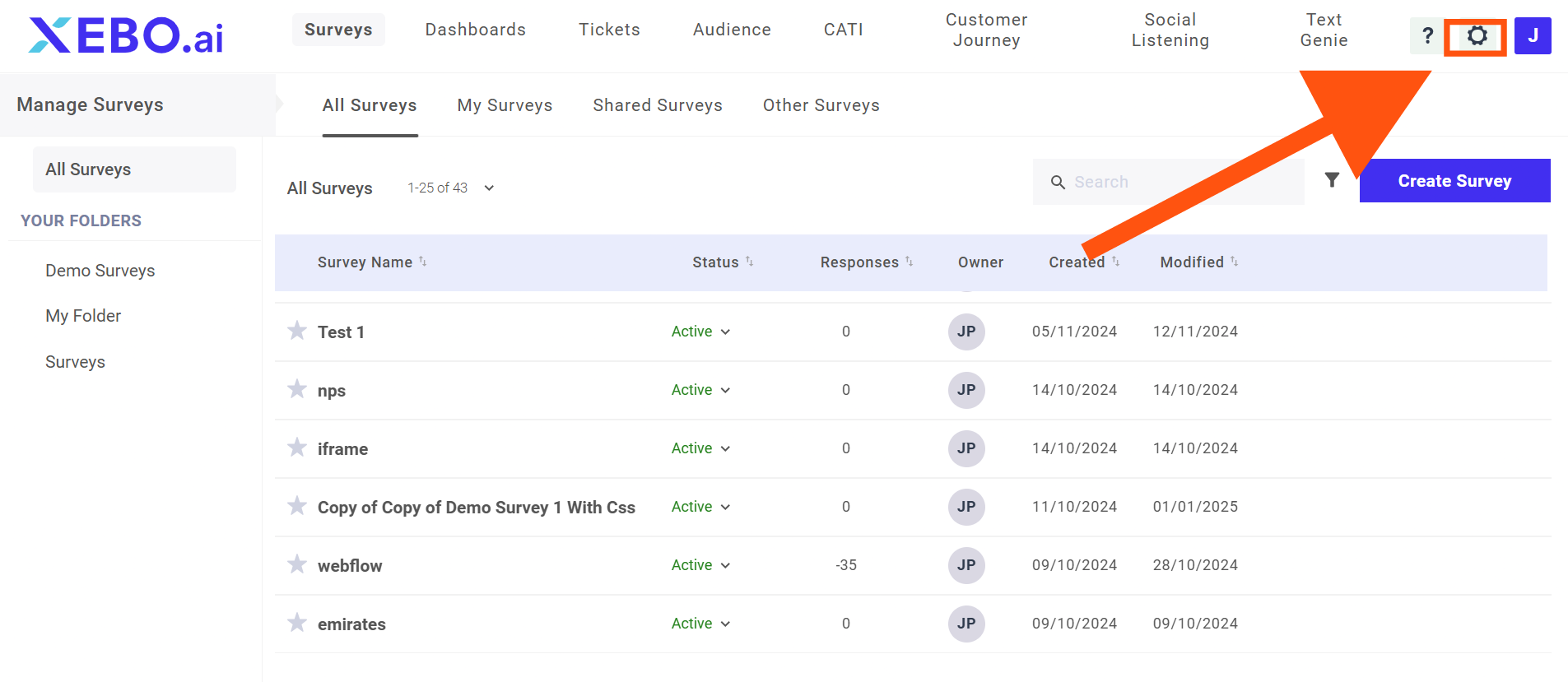
Step 1: Adding Business units
The next step is to click on Settings.
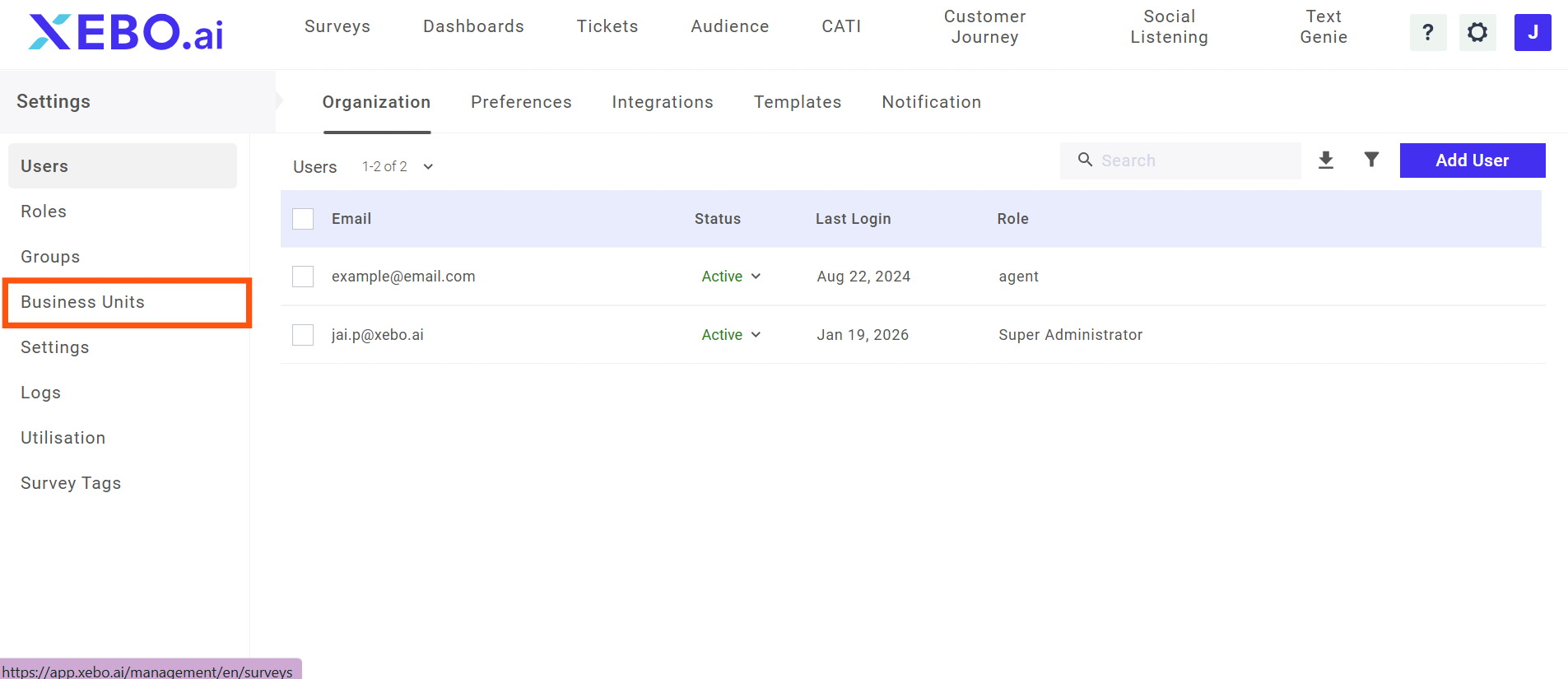
Step 2: The next step is to click on Business Units.
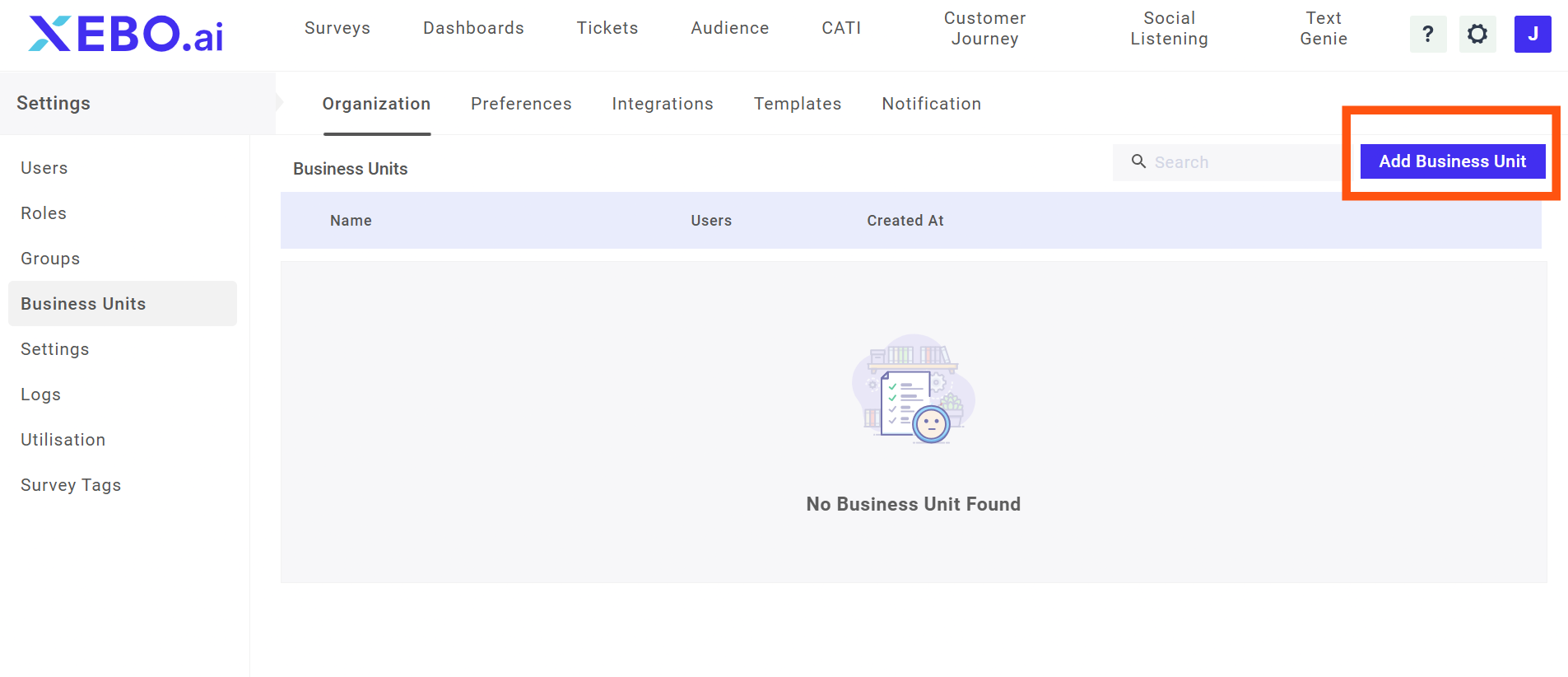
Step 3: Then, click on Add Business Units.
Step 4: In the next step, click on Add Business Units.